Orbitals LWP & Daydream1.4.7
Publisher Description
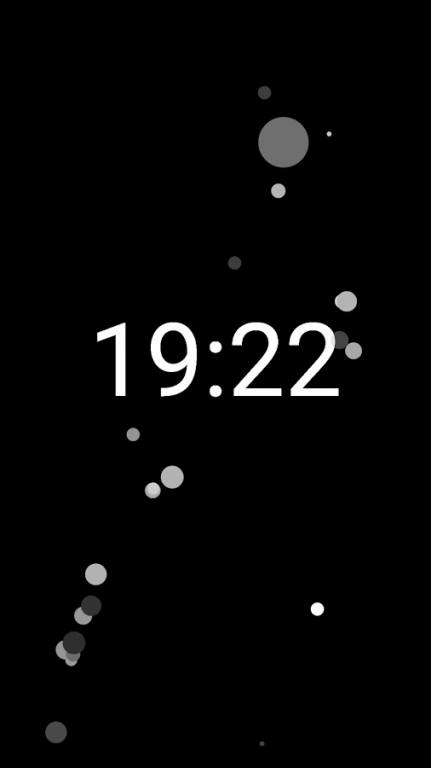
Watch as planetary systems pop into existence and interact with each other through gravity, or touch the screen to add your own systems! Objects can collide with one another and will explode into smaller objects when they get too large.
This full version includes options to choose background and object colours, the types of systems that are generated, some physics tweaks, and change the appearance (colours, sizes, styles) when the device is locked. The app now includes a 'daydream' (screensaver) which has all of the same options for customisation!
There is now an optional extension to make objects change colour when you receive notifications - see 'Notification pulse' in the settings for more information.
To set the live wallpaper, long press on your home screen, choose 'Wallpapers', then find 'Orbitals' under 'Live Wallpapers'. You can also find it under 'Display' in your device settings menu.
To set the daydream go to Settings > Display > Daydream and choose 'Orbitals' (requires Android 4.2 Jellybean or above). This is also where you will find the preferences menu for the daydream mode.
If you would like to find out about upcoming features, post your favourite settings, or otherwise discuss Orbitals, please see the Google+ community here: https://plus.google.com/communities/113955537219140914914
About Orbitals LWP & Daydream
The company that develops Orbitals LWP & Daydream is Michael Beaton. The latest version released by its developer is 1.4.7.
To install Orbitals LWP & Daydream on your Android device, just click the green Continue To App button above to start the installation process. The app is listed on our website since 2015-11-27 and was downloaded 19 times. We have already checked if the download link is safe, however for your own protection we recommend that you scan the downloaded app with your antivirus. Your antivirus may detect the Orbitals LWP & Daydream as malware as malware if the download link to com.beatonma.orbitalslivewallpaper is broken.
How to install Orbitals LWP & Daydream on your Android device:
- Click on the Continue To App button on our website. This will redirect you to Google Play.
- Once the Orbitals LWP & Daydream is shown in the Google Play listing of your Android device, you can start its download and installation. Tap on the Install button located below the search bar and to the right of the app icon.
- A pop-up window with the permissions required by Orbitals LWP & Daydream will be shown. Click on Accept to continue the process.
- Orbitals LWP & Daydream will be downloaded onto your device, displaying a progress. Once the download completes, the installation will start and you'll get a notification after the installation is finished.
Program Details
System requirements
Download information
Pricing
Version History
version 1.4.7
posted on 2015-11-27
1.4.7 (27 November 2015):,- Implemented user request: new option to rotate the clock (relative to device) in daydream mode.,- Fixed weird background colour on dialog buttons on Lollipop and above.
